
Inferno Protocol Settings
The menu options demo patches actually added — and the ones you should touch before co-op.
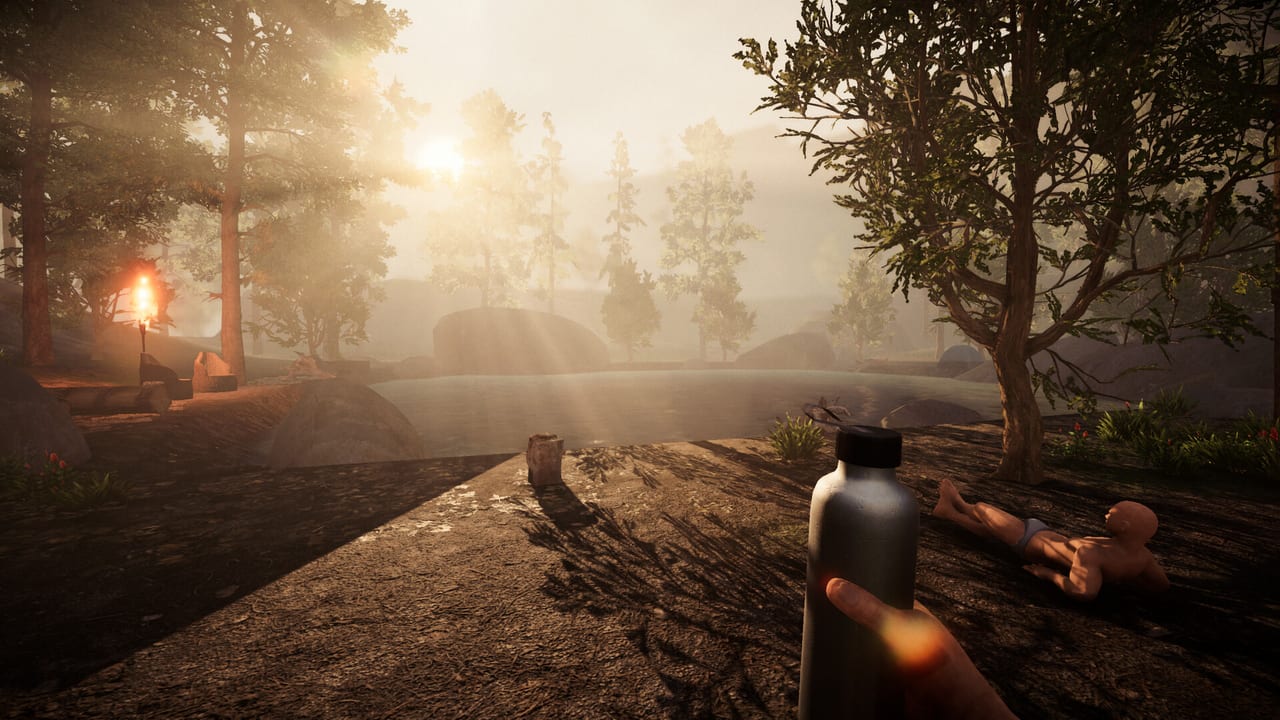
Inferno Protocol’s settings screen is part of the survival kit. A wrong microphone gets you hunted. A wrong exposure preset whites out Swamp. A DualSense that is not on USB never shows up. This page lists options confirmed in Steam features and demo patch notes, then recommends a first-boot order. Bindings are in controls. Hardware floors are in system requirements.
We will not invent sliders that are not documented. If your build has an option this page omits, believe the live menu and check patch notes.
Graphics and display
- Screen type. A demo fix let you change windowed / fullscreen style from graphics settings. Use it if alt-tab is fighting exclusive fullscreen.
- Ultrawide. 21:9 and wider is supported. If you have a superwide monitor, enable this before you judge FOV. Maze corridors already distort; a cropped 16:9 pillarbox is worse.
- Auto graphics detection. Low-end GPUs get spotted and turned down. Leave it on for the first launch, then override one step up if you have a 1070+ and a stable host.
- Auto exposure. Patched so it no longer white-outs on low-end cards. If Jungle still blooms, drop brightness before you drop resolution.
- Shader preloading. Added to reduce early frame drops. Let the first load hitch; it is cheaper than hitching in a rat grab.
- Tree LODs, grass, wall torches. Demo performance work. In Jungle, foliage is the tax. In Junkyard, torches are the tax. Drop foliage before you drop resolution if you need marks to stay readable.
Camera comfort is listed as an accessibility feature. If rotation and bob make you sick — likely, in a game about a turning maze — turn it on. You can still play well. You cannot navigate if you have to look away.
Audio and voice
Custom volume controls are a Steam feature. Use them as three buses in your head: world, voice, walkie.
- World (creatures, rain, barrels) should be loudest. Audio tells are how Jungle stalkers advertise.
- Walkie should be clear and quieter than footsteps.
- Proximity / mic monitor should be audible enough to know you are transmitting, not loud enough to echo.
Microphone selection was added because proximity chat is a mechanic. Pick the headset, not the monitor. Push-to-talk if you have it; the maze can hear you. Stereo sound is listed. Headphones help more than a 1070 does when a rat is circling.
Text chat is blocked during QTEs. Do not bind chat to the same key as confirm. Join / disconnect messages exist so you notice a sixth player dropping before you split the loot.
Input and UI
- Scroll sensitivity. Its own slider. Inventory and crafting lists are long; set this so you do not skip recipes.
- Name filter on building and crafting UIs. Type “trap” or “torch.”
- Gamepad cancel on beds works after a patch. Test it once.
- QTE icons show gamepad buttons correctly and are localized. If you switched from keyboard to pad mid-session, re-check prompts.
- Emote vs inventory. Do not overlap those binds. A patched bug used to move you while sorting.
Full controller support does not mean every Steam Input community layout is blessed. Start with the in-game mapper. PlayStation pads need USB.
Accessibility and comfort
Save anytime is listed. Use it at the settlement, not mid-grab. Camera comfort, custom volume, and localized QTE prompts are the published accessibility set. There is no public colorblind statement on the store page we used; if you need higher contrast marks, pick spray colors your squad can name out loud.
Languages on Steam: English, French, German, Spanish (Spain), Simplified Chinese, Japanese, Turkish, Korean, Russian. This wiki covers English, French, German, and Spanish. Set the game language in Steam properties if the maze notes are in the wrong script.
First-boot recipe
- Launch, let auto graphics run.
- Set screen type and ultrawide.
- Headphones on, pick mic, lower proximity until a whisper is still picked up but a keyboard is not.
- Camera comfort on if you have any doubt.
- Remap interact, inventory, push-to-talk, emote.
- Scroll sensitivity until the crafting list is usable.
- Prologue from getting started.
If the session still stutters with six players, you have a co-op hosting problem or a spec problem, not a missing “ultra” checkbox. Drop player count before you drop to potato lighting you cannot read marks on. The maze is already trying to disorient you. Do not help it.
Frequently Asked Questions
Quick answers for Inferno Protocol survivors.
Does Inferno Protocol support ultrawide monitors?
Yes. A demo update added 21:9 and wider support. Enable it in graphics settings before you judge the FOV.
Where is the microphone option?
A patch added microphone selection for proximity chat. Open settings and pick the headset. Enemies can hear the wrong device too.
The game looks blown out on my old GPU. Why?
Auto-exposure used to white-out low-end cards. That was patched. Turn on auto graphics detection and lower bloom-facing settings.
Should I use camera comfort?
If maze rotation or bob bothers you, yes. It is a listed accessibility feature. Navigation matters more than raw camera drama.